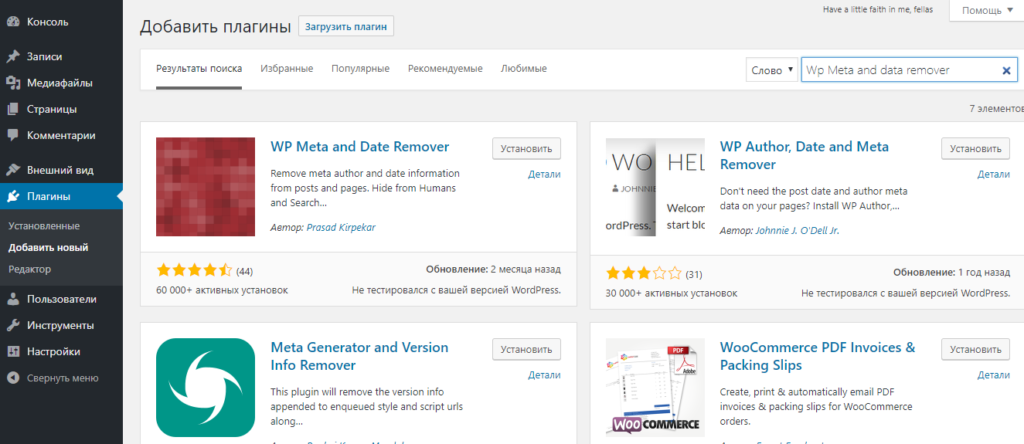
Removing the date, author, and category of a post in WordPress is very simple. Go to the dashboard of your WordPress site, find the "Plugins" tab in the left menu, and select "Add New." In the search box located in the upper right corner, type the following: WP Meta and Date Remover. In the search results, find the plugin with the same name; it was the first one for me, and click "Install." After installation, click "Activate." No additional settings are needed. After activating the plugin, it will automatically remove everything.